Prompt Engineering

Prompt engineering is the process of enhancing user input (prompts) to an AI model, particularly large language models (LLMs), to generate the desired or expected output.
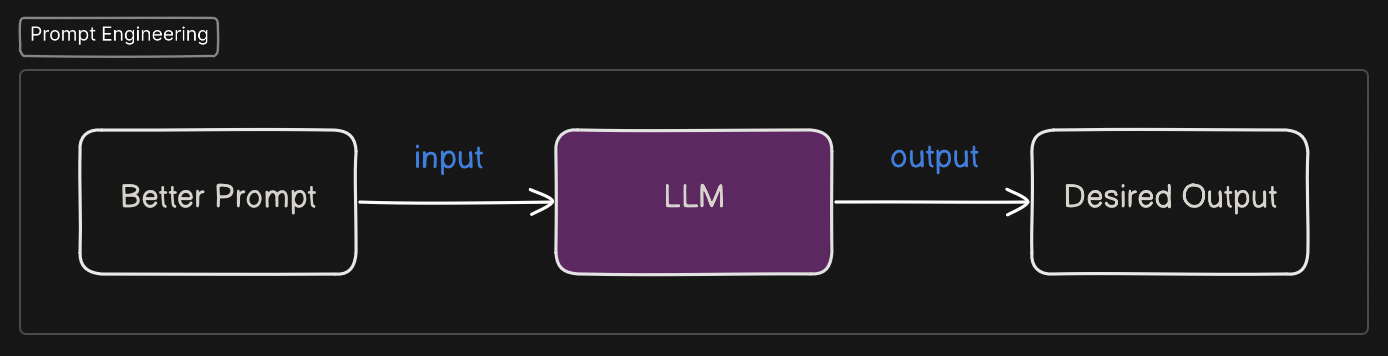
Importance and Advantages of Prompt Engineering
1. Generating Desired Output
By writing better prompts, users can guide AI models to provide more specific and relevant responses that align with their requirements.
Example:

apiVersion: apps/v1
kind: Deployment
metadata:
  name: my-app-deployment # Change this to your deployment name
  labels:
    app: my-app # Change this to your application name
spec:
  replicas: 3 # Number of desired pods
  selector:
    matchLabels:
      app: my-app # Matches the pod template's labels
  strategy:
    type: RollingUpdate
    rollingUpdate:
      maxSurge: 25% # Percentage of pods that can be added above the desired number during update
      maxUnavailable: 25% # Percentage of pods that can be unavailable during update
  template:
    metadata:
      labels:
        app: my-app # Labels applied to pods created by this deployment. Must match the selector.
    spec:
      containers:
      - name: my-app-container # Change this to your container name
        image: nginx:latest # Change this to your container image
        ports:
        - containerPort: 80 # Change this to the port your application listens on
        resources:
          requests:
            cpu: 100m # Minimum CPU request for the container (e.g., 100 millicores)
            memory: 128Mi # Minimum memory request for the container (e.g., 128 megabytes)
          limits:
            cpu: 500m # Maximum CPU limit for the container (e.g., 500 millicores)
            memory: 512Mi # Maximum memory limit for the container (e.g., 512 megabytes)
        # Add liveness and readiness probes for health checks
        livenessProbe:
          httpGet:
            path: / # Path to check for liveness (e.g., root path)
            port: 80
          initialDelaySeconds: 3 # Delay before the first probe
          periodSeconds: 10 # How often to perform the probe
        readinessProbe:
          httpGet:
            path: / # Path to check for readiness (e.g., root path)
            port: 80
          initialDelaySeconds: 3 # Delay before the first probe
          periodSeconds: 10 # How often to perform the probe
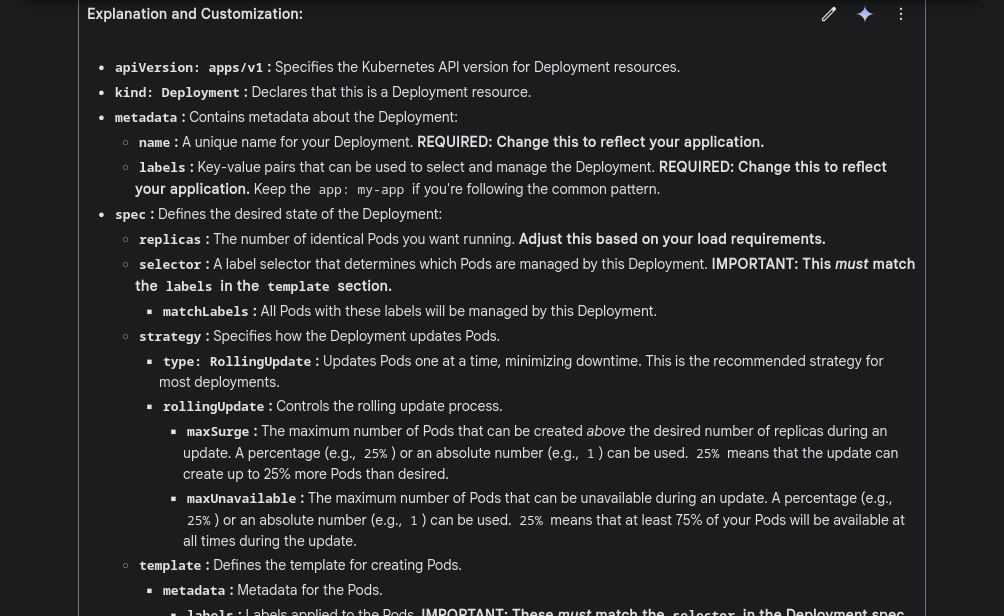
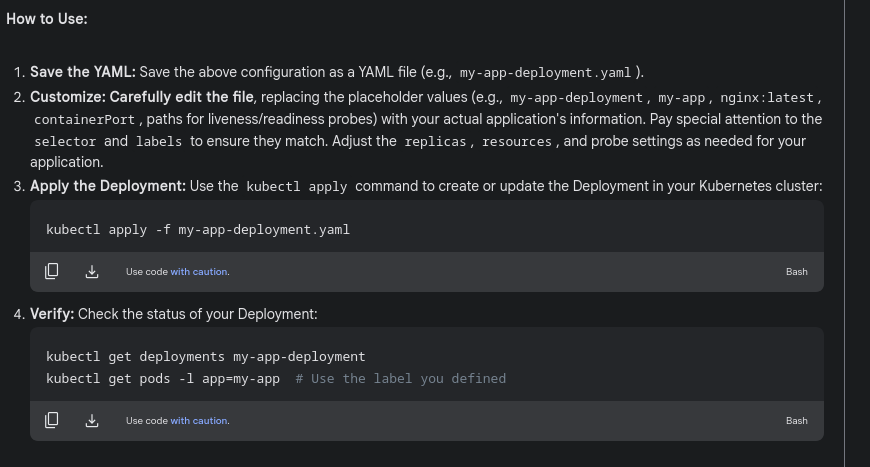
Now, in this case will are using only keyword

apiVersion: apps/v1
kind: Deployment
metadata:
  name: my-app-deployment
  labels:
    app: my-app
spec:
  replicas: 3 # Adjust as needed
  selector:
    matchLabels:
      app: my-app
  template:
    metadata:
      labels:
        app: my-app
    spec:
      containers:
      - name: my-app-container
        image: your-image:latest  # Replace with your container image
        ports:
        - containerPort: 8080 # Adjust as needed
        # Add resource requests and limits if needed
        resources:
          requests:
            cpu: "100m"
            memory: "128Mi"
          limits:
            cpu: "500m"
            memory: "512Mi"
        # Add environment variables if needed
        # env:
        # - name: MY_ENV_VAR
        #   value: "my_value"

        # Add liveness and readiness probes if needed
        # livenessProbe:
        #   httpGet:
        #     path: /healthz
        #     port: 8080
        #   initialDelaySeconds: 3
        #   periodSeconds: 10
        # readinessProbe:
        #   httpGet:
        #     path: /readyz
        #     port: 8080
        #   initialDelaySeconds: 3
        #   periodSeconds: 10
Changing
"generate a kubernetes manifest for deployment resource"to"generate _only_ kubernetes manifest for deployment resource"
Resulted in the desired YAML file \*without extra descriptions or explanations*
2. Cost Optimization
Effective prompt engineering can significantly reduce costs for organizations.
The cost of API calls to LLMs is often based on the number of tokens processed.
Tokens are related to the number of words in both the input prompt and the generated output.
Bad prompts can lead to the generation of more text, resulting in a higher number of tokens and increased API costs.
A demonstration using Google AI Studio showed a significant difference in token count between a less specific and a more specific prompt for generating a Kubernetes manifest.
Example:
The less specific prompt generated approximately 2385 tokens.
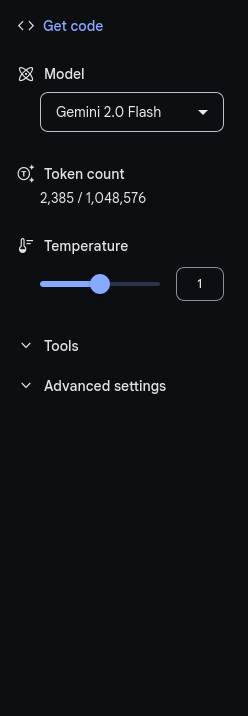
The more specific prompt generated only around 364 tokens.
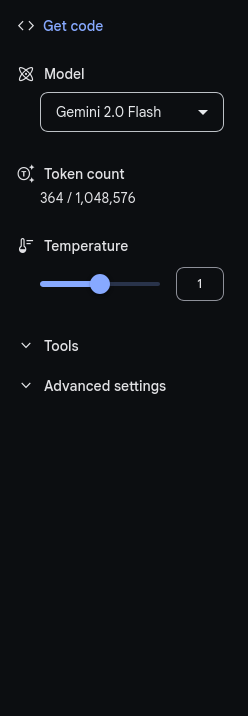
This difference becomes substantial at scale with numerous API requests.
Types of Prompting
1. Zero-Shot Prompting (Direct Prompting):
This involves providing a prompt without any examples.
Relying on the model’s pre-existing knowledge.
Example: "Generate a Kubernetes deployment YAML."
2. Few-Shot Prompting:
This technique involves providing the AI model with a few examples of the desired input-output format before the actual prompt.
It helps the model understand the context, style, and specific requirements.
Few-shot prompting is highly recommended as it often leads to better performance by providing necessary context.
Example:
Input: "Write a Bash script to create a user."
Example 1:
#!/bin/bash
# Author: DevOps Team
# Version: 1.0
# Description: This script creates a new user.

if [ "$#" -ne 1 ]; then
    echo "Usage: $0 username"
    exit 1
fi

sudo useradd "$1"
echo "User $1 created successfully."
- Example 2:
#!/bin/bash
# Author: DevOps Team
# Version: 1.1
# Description: This script creates a new user with a home directory.

if [ "$#" -ne 1 ]; then
    echo "Usage: $0 username"
    exit 1
fi

sudo useradd -m "$1"
echo "User $1 created successfully with a home directory."
- Prompt: "Write a Bash script following the same structure to delete a user."
3. Multi-Shot Prompting:
Similar to few-shot prompting, but involves providing a larger number of examples for more complex use cases.
This offers even more context and can further refine the AI model's output.
Example: A DevOps engineer provides multiple Kubernetes manifest templates to guide AI in generating a specific format.
4. Chain of Thoughts:
This is a more advanced prompting style that encourages the LLM to use its reasoning capabilities to arrive at the answer.
It can enhance the performance of models with reasoning abilities.
Encourages the AI to break down reasoning step-by-step, improving logical consistency.
Example: "Explain how to troubleshoot a failed Kubernetes pod. List each step with explanations."
Recommendations for Writing Better Prompts:
Provide Context: Explain the situation or your role to give the LLM a better understanding of your needs (e.g., "I'm a DevOps engineer working on a particular project").
Provide Clear Instructions: Clearly state what you want the AI model to do.
Provide Examples (Few-Shot Prompting): Include a few examples demonstrating the desired input and output format to guide the model.
Define the Output Format: Specify the desired format of the output (e.g., Markdown, JSON).
Iterate and Test – Experiment and refine prompts based on response quality.
By following these prompt engineering principles, users can effectively leverage AI models to generate the desired outputs in a cost-efficient manner.
Tools for Prompt Engineering
OpenAI Playground – Experiment with different prompts.
LangChain – Build applications using LLMs.
PromptFlow – Visualize and optimize prompt interactions.
Google AI Studio – Analyze token consumption.